THE PLUGIN GUIDE Create. Connect. Customize.
Make it work
your way.
Bring your formation into Project Gravity. Install a plugin, explore the module API, add controls and mobile input, or start with a complete prompt for your AI.
Already using the in-game assistant? Look for PROJECT UAI.
WEB SHAPE BUILDER
Start with a line. Make it yours.
Sketch an open path, close it into a polygon, or draw a freehand stroke. Move individual vertices, add depth, and combine separate outlines into one formation. Each layer has its own position, rotation, scale and motion.
- Draw or import. Place points by hand, start with a regular polygon, import an SVG outline or 3D coordinates, or generate a curve or surface from formulas.
- Shape the motion. Watch the debris preview while you adjust layers, add spin, orbit, waves and other movement, and expose settings as in-game controls.
- Keep and export. Save an editable JSON project, then download a Lua plugin and install it using the steps below.
Projects autosave in this browser. Download JSON to keep a portable copy.
01 / GET STARTED
One file. Your own shape.
- Save a module in your executor's
GravityShapesfolder asShape Name.lua. - Run Project Gravity again and select the shape by its filename.
- Use the shape's controls to adjust its motion. The starter includes a working action button.
02 / THE CONTRACT
Describe where each part goes.
The runtime handles the physics loop. Return a velocity correction and the exact target position so it can track moving targets smoothly.
local M = {}
local NAME = "My Shape"

function M.px(t, c, x6, x9, x1)
    x6.pre = x6.pre or {}
    x6.pre[NAME] = x6.pre[NAME] or {}
end

function M.f2(p, cen, d, t, c, x1, x6, x9)
    local target = cen + Vector3.new(0, 20, 0)
    return (target - p.Position) * (x1.k10 * x9.c1), target
end

function M.cleanup(x6, x1)
    if x6.pre then x6.pre[NAME] = nil end
end

M.Controls = {}
return M| Input | What it means |
|---|---|
p / cen / d | The part, current center and persistent per-part record. |
t / c | Formation time and this shape's control values. |
x1 / x6 / x9 | Global settings, runtime state and engine constants. |
px runs once per formation frame. Parts may run less often, so timed per-part actions should subtract a captured shared timestamp. Use d.slot or d.id or 1 for stable placement, and keep private state under your own name.
Formation time can freeze or reverse. Cache common paths and frames, keep zero-size and vertical cases finite, and design for mixed debris. Phoenix and Megalodon use a leading head with the body and tail following older headings.
03 / CONTROLS
Give actions real buttons.
Sliders, toggles and text boxes store settings. A button runs a callback once each time it is clicked or tapped.
M.Controls = {
    { Type = "Slider", Name = "Radius", Key = "radius",
      Min = 0, Max = 150, Default = 40 },
    { Type = "Toggle", Name = "Pulse", Key = "pulse",
      Default = true },
    { Type = "TextBox", Name = "Message", Key = "message",
      Default = "HELLO", MaxChars = 80 },
    { Type = "Button", Name = "Restart", Key = "restart",
      Callback = function(c, x6, x1)
          local st = x6.pre and x6.pre[NAME]
          if st then st.restart = true end
      end },
}
Buttons have no saved value and never fire while the panel is being built. Their Key is optional. Keep callbacks short; errors are caught and a second click cannot duplicate an action that is still running.
Div = 10, Default = 1.6, the panel displays 16 and your shape reads 1.6. Use ExactMax = true to keep a speed slider at its declared maximum.04 / PHYSICS ACTIONS
Release means gravity takes over.
Set these fields on a part's record inside f2. The engine applies them after the call.
| Request | Behavior |
|---|---|
d.free_physics = true | Disable both actuators and keep the record for Regrab. |
d.free_physics = nil | Resume control with fresh tracking terms. |
d.launch_velocity = v | Apply one impulse while free; the field is consumed. |
d.collisions | False: noclip. True: original collisions. Nil: engine policy. |
d.unclaim = true | Remove actuators and forget the record entirely. |
Unclaim defaults to zero velocity. Use d.keep_velocity = true to preserve momentum, or d.release_velocity and optional d.release_spin to specify it. Free parts naturally fall; don't manually subtract gravity while driving them with an actuator.
For an immediate button action, set the fields and call x6.apply_shape_physics(p, d) on a real tracked part. Avoid Part Control overrides. Use M.NoBlend = true for modules that release or impulse parts.
05 / MOBILE
A thumbstick for your shape.
One finger steers the circular control. Another holds the action button. Register the control, then read the shared state in your shape.
M.MobileControls = { Action = "FIRE", Range = 600 }

-- Inside px or f2:
local input = x6.mobile_input
if input and input.active and input.shape == NAME then
    local direction = input.direction -- unit world vector
    local target = input.aim          -- world point
    local held = input.held           -- held action
    local presses = input.presses     -- edge-triggered action
    local generation = input.generation -- changes on reset
end
Normalized axes are input.x / input.y. Accumulated angles are input.yaw / input.pitch; input.base_aim follows the camera. Keep your desktop fallback and ignore raw touch input while the shared control is active.
Stop, pause, disable and shape changes reset input. Edge-detect actions using both generation and presses, so a reset cannot swallow the next press while shape processing is paused. Focus loss cancels both gestures, and unload removes the controls.
06 / LIFECYCLE
Stop a formation. Unload a session.
Stop / reset
Release parts and remove the core. Keep the UI and bindings available to restart.
Full unload
Remove core and UI, disconnect listeners, unbind actions and restore captured properties.
Your cleanup must disconnect owned listeners, destroy owned instances and clear your own state. Make it safe to repeat. Never remove unrelated objects by name.
IN THE SHAPE SELECTOR
Black Hole v2.
Parts follow a tightening spiral into a filled sphere, keeping the same direction of rotation as they arrive. Adjust Pull In Speed for the inward rate, Spiral Speed for the swirl, and Ball Spin Speed for stable rotation about one upright axis. The core defaults to 720 degrees per second. Ball Radius changes its size smoothly, and an optional accretion ring starts at zero so every part joins the sphere.
Regrab captures the tracked parts where they are now. Stop Grabbing releases them with momentum; Explode applies one outward impulse, then gravity takes over.
Plugin authors can drive a part's rotation with d.angular_velocity = Vector3.new(x, y, z) in radians per second. Clear it to nil to restore normal angular behavior. Pause stops the motor, and release disables it.
Watch Black Hole v2 and the improved Drop · Watch the articulated Phoenix and Megalodon paths
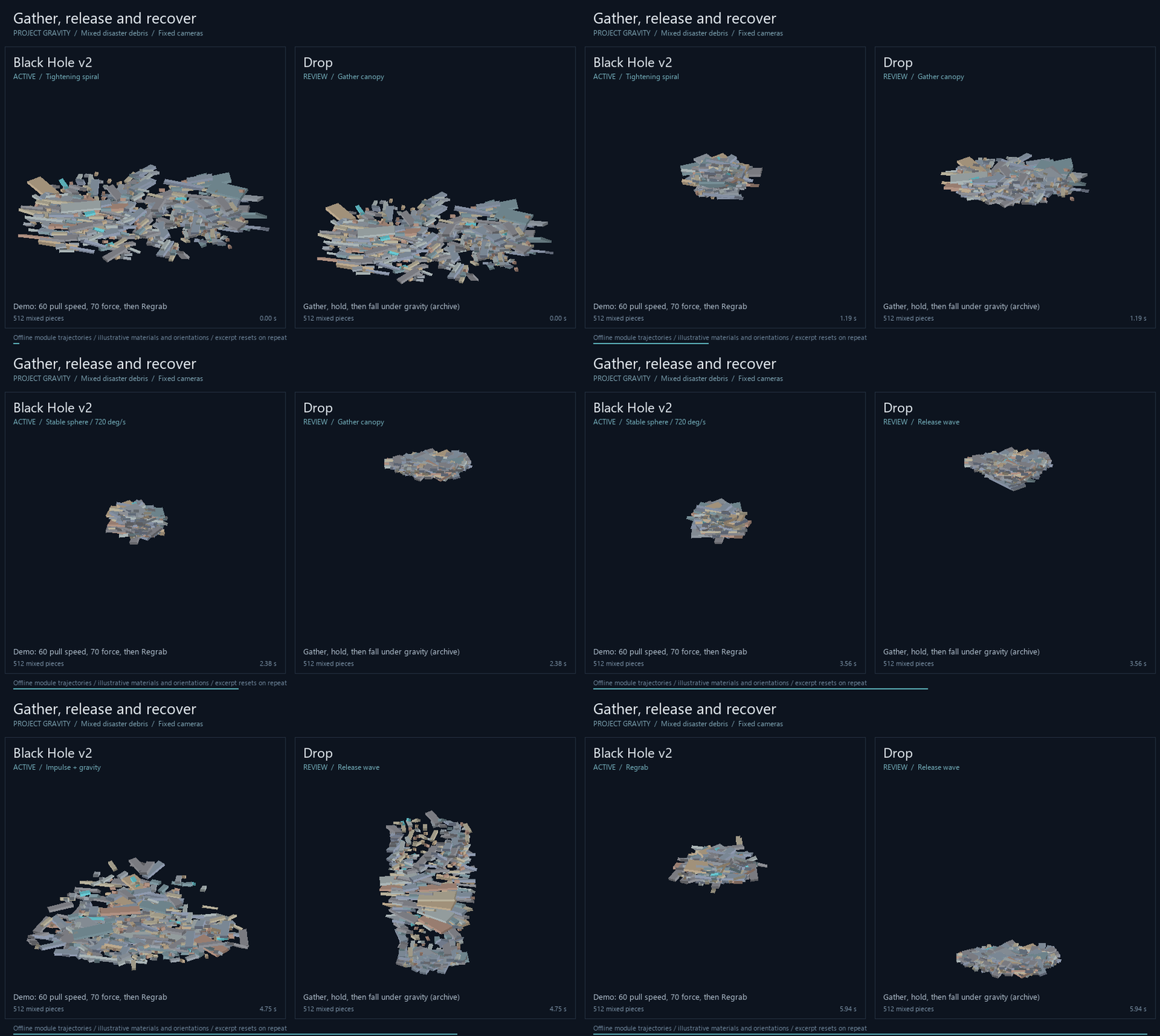
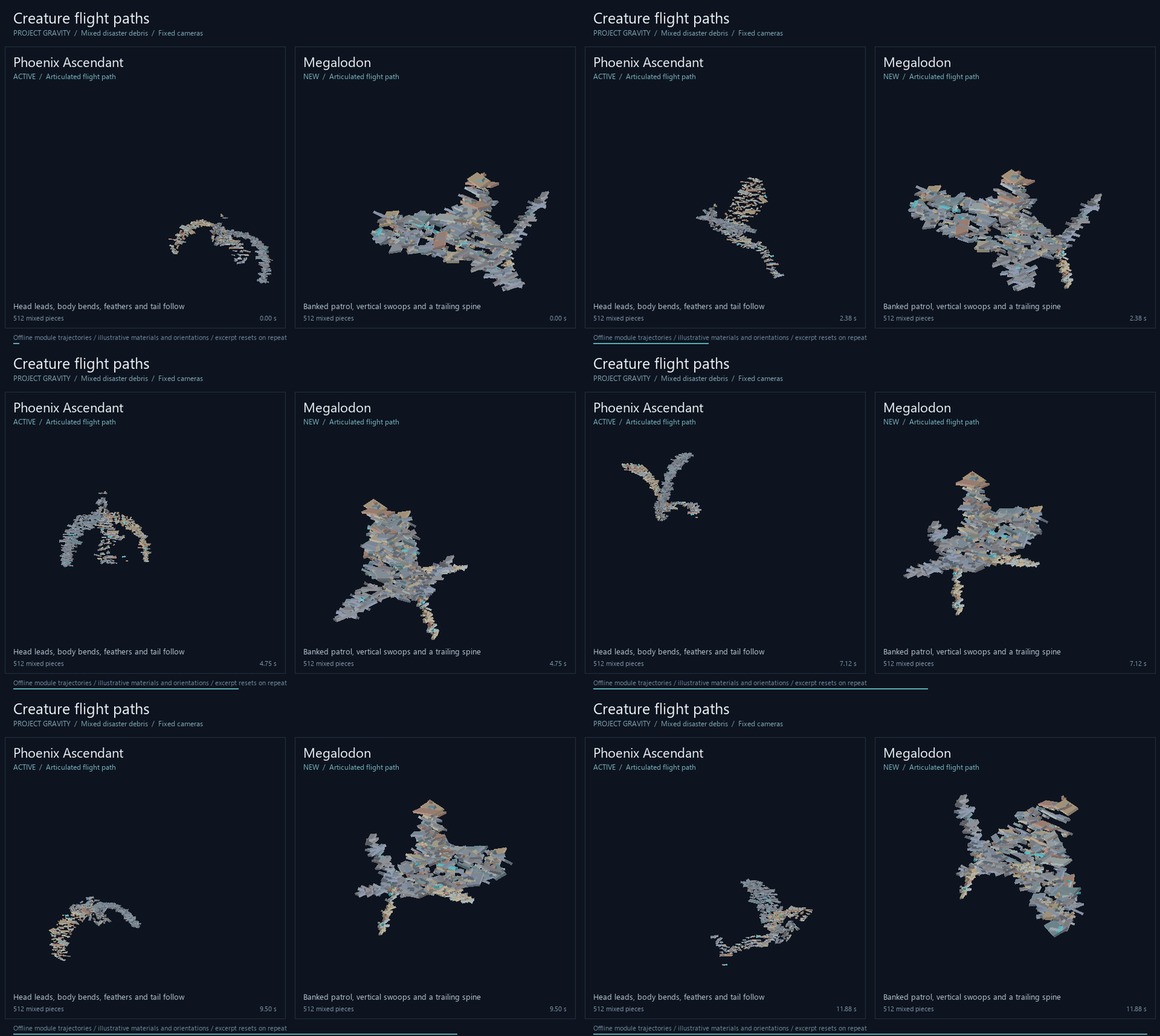
Offline trajectories with 512 mixed pieces; illustrative orientations. Physics and touch layout still need an in-game check.
07 / BRING YOUR OWN AI
Your idea, with the full spec.
Copy a complete prompt with the module contract, button API, mobile input and cleanup rules. Paste it into Project UAI or the AI you use.
Your description is added locally. Copying does not send it to an AI.